
Your books, arranged your way
Make a virtual bookshelf of the books you love.
ShelfLife turns your reading into a fully customizable bookshelf. Every book stands where you put it, the spines can be photos of your own copies, and the room around them is yours to choose. Free on iPhone, Android, and the web.
Download the appHow to make a virtual bookshelf
- Create a shelf. Name it, add an optional description, and choose whether it is public or private.
- Add your books. Search by title or author, scan the ISBN barcode on the back cover, or import a Goodreads or StoryGraph export.
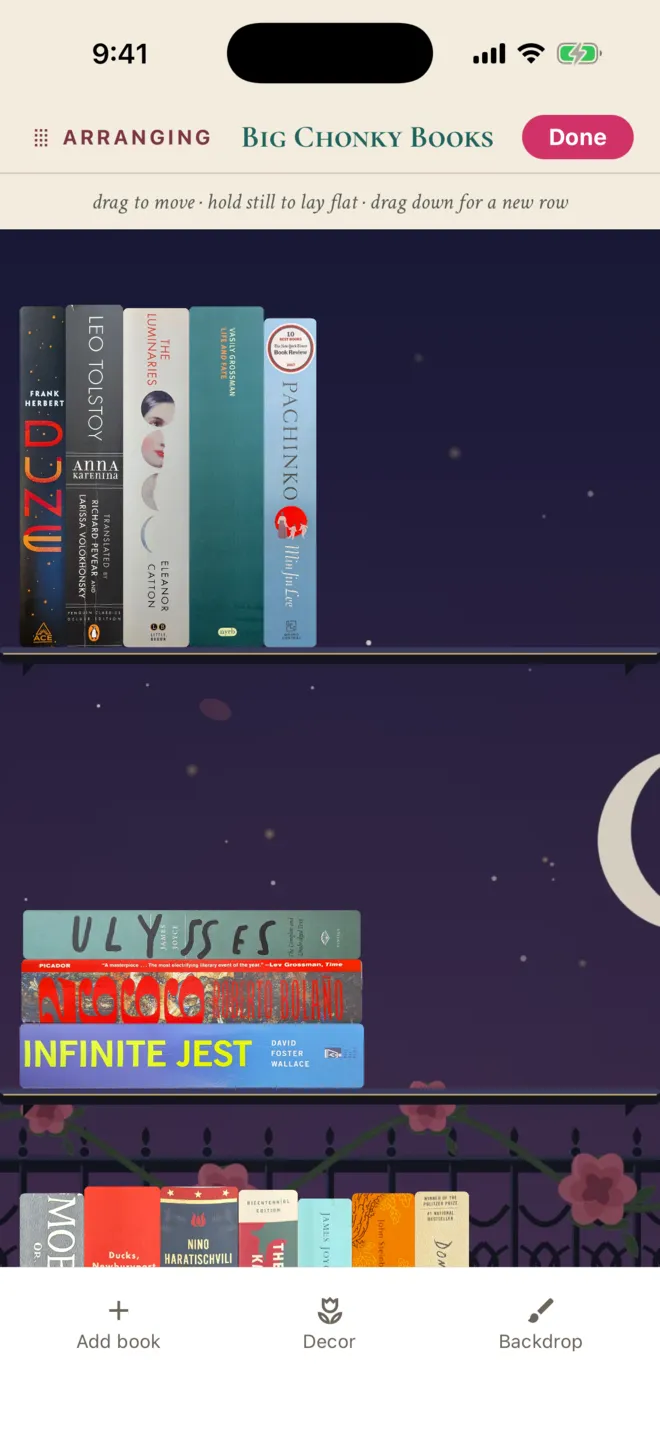
- Arrange the books. Tap Arrange and drag books into place. Stand a book as a spine, turn it to face out, or lay it flat to start a stack.
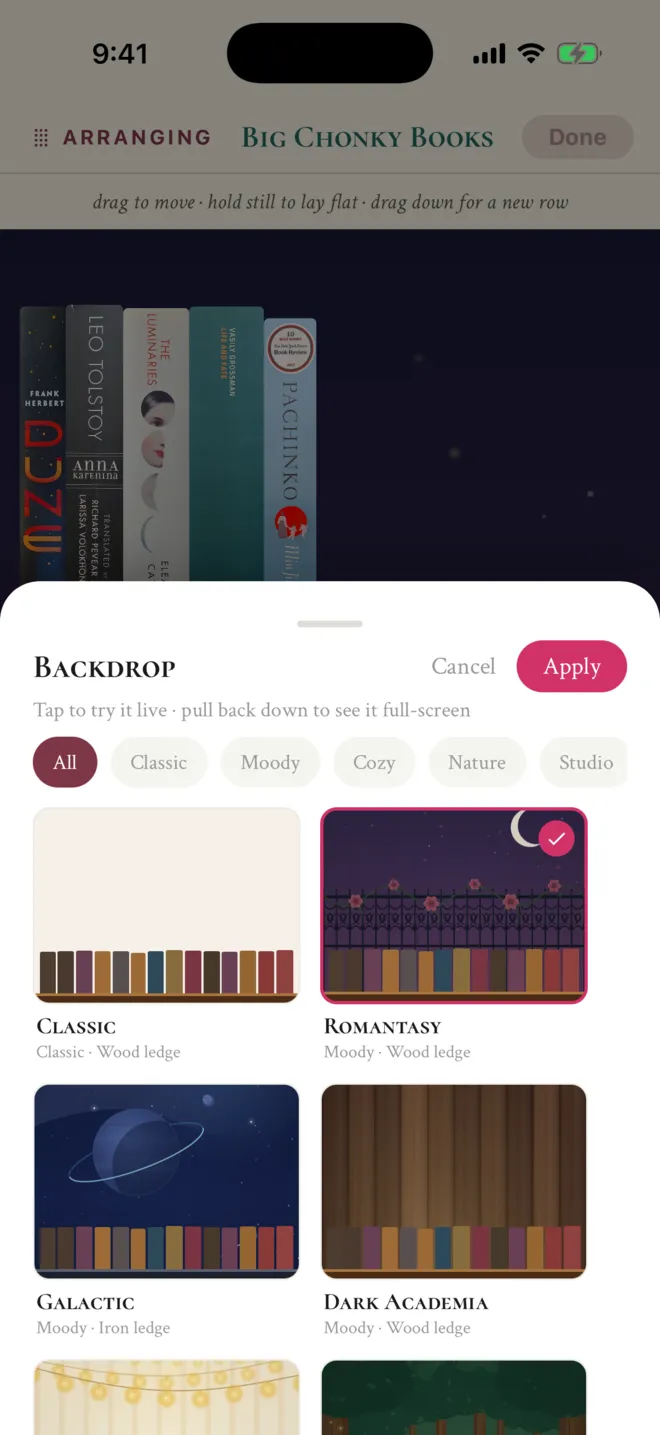
- Pick a backdrop. Choose a backdrop, from Dark Academia to Snowfall, or mix your own wall and ledge colors.
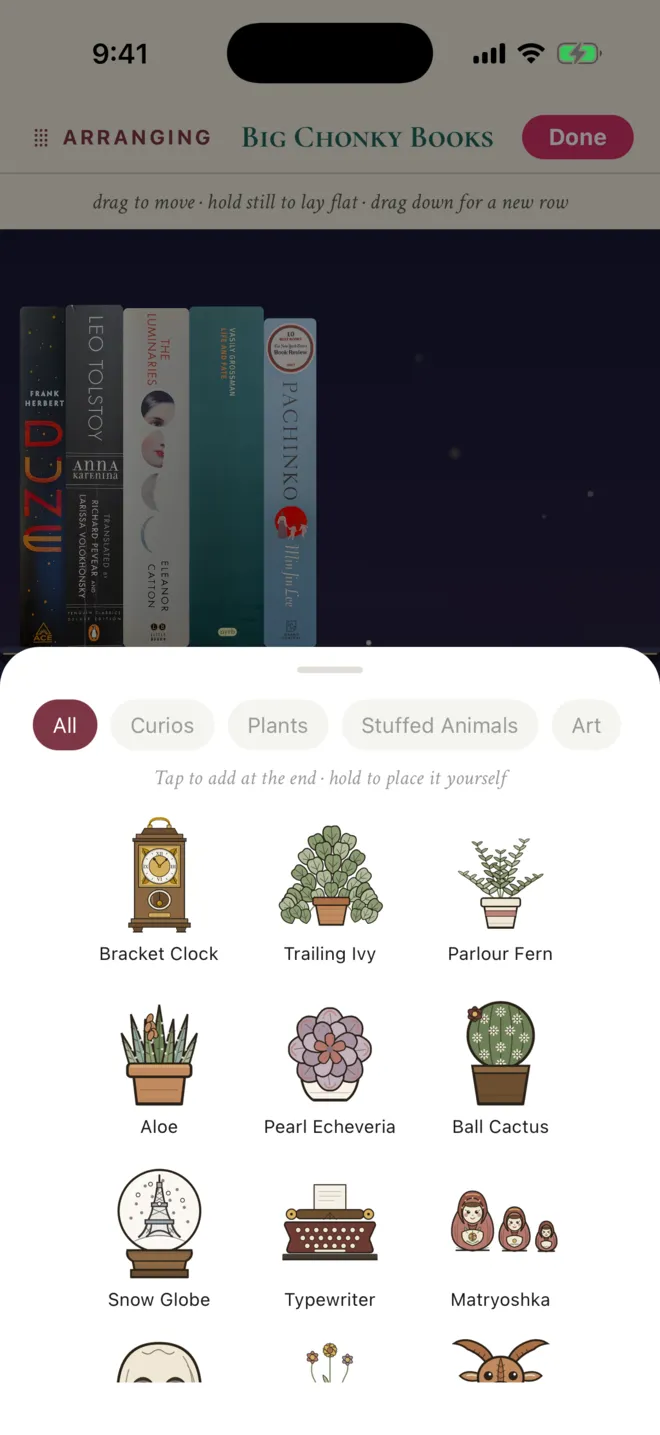
- Add decor. Tuck up to 500 objects between the books: plants, a clock, a typewriter, stuffed animals, or framed paintings.
- Share it. Export the shelf as a 1080 by 1350 image for Instagram, or make it public so other readers can find it in Explore.
Everything you can customize
ShelfLife shelves are fully customizable. Here is what that means in practice:
- The arrangement. Drag any book anywhere. Rows wrap on their own when they fill, and dragging a book down starts a new row.
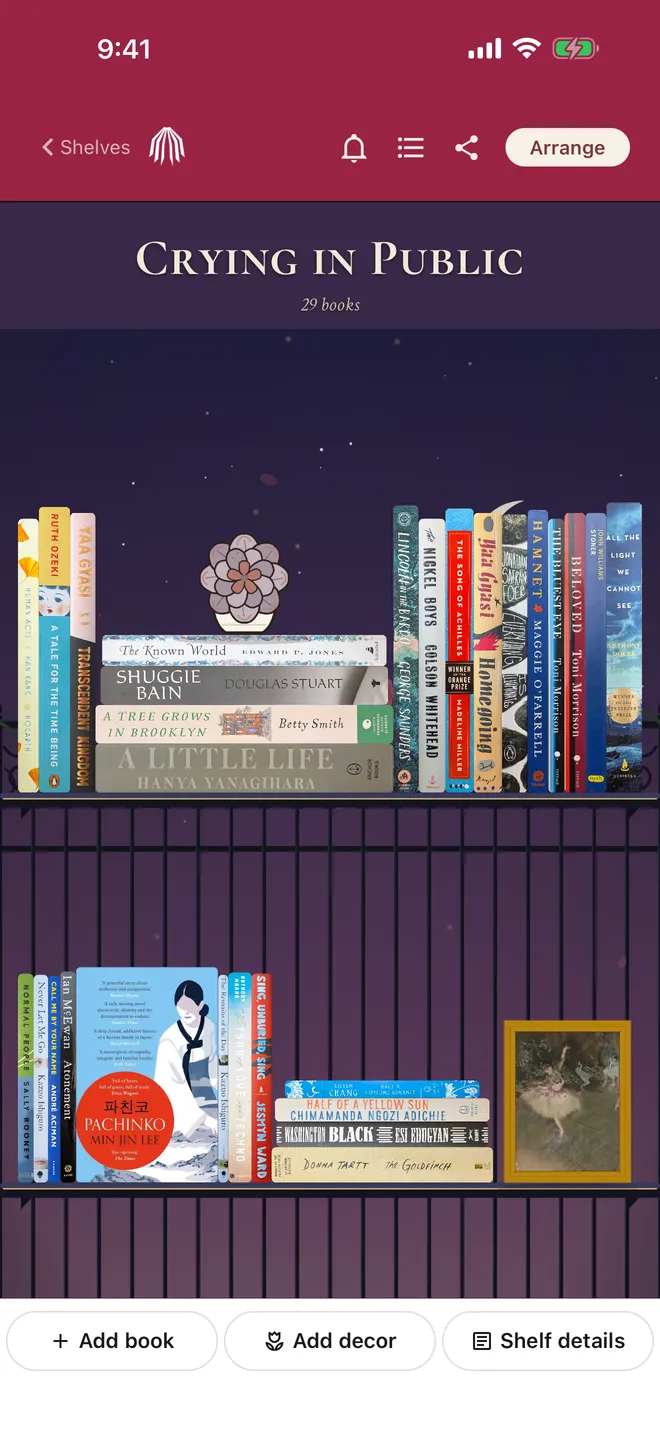
- How each book sits. Standing spine, facing out to show the cover, or lying flat in a stack. A decor object can top a stack like a bookend.
- The spines. A photo of the spine of your own copy, a spine another reader photographed, or a cloth-style default.
- The backdrop. Built-in scenes, including Dark Academia, Romantasy, Galactic, Reading Nook, Victorian Gothic, Moonlit Moor, and Snowfall. Or save up to 50 of your own wall and ledge color combinations.
- The decor. Up to 500 objects per shelf: a bracket clock, a snow globe, a typewriter, ferns and succulents, stuffed animals, and framed public-domain paintings from The Great Wave to Starry Night.
- The details. A name, a description, genre and shelf-type tags, and public or private.
All of it is free. Box Seat, an optional membership where available, adds a new drop of decor and backdrops each month.
Shelves worth making
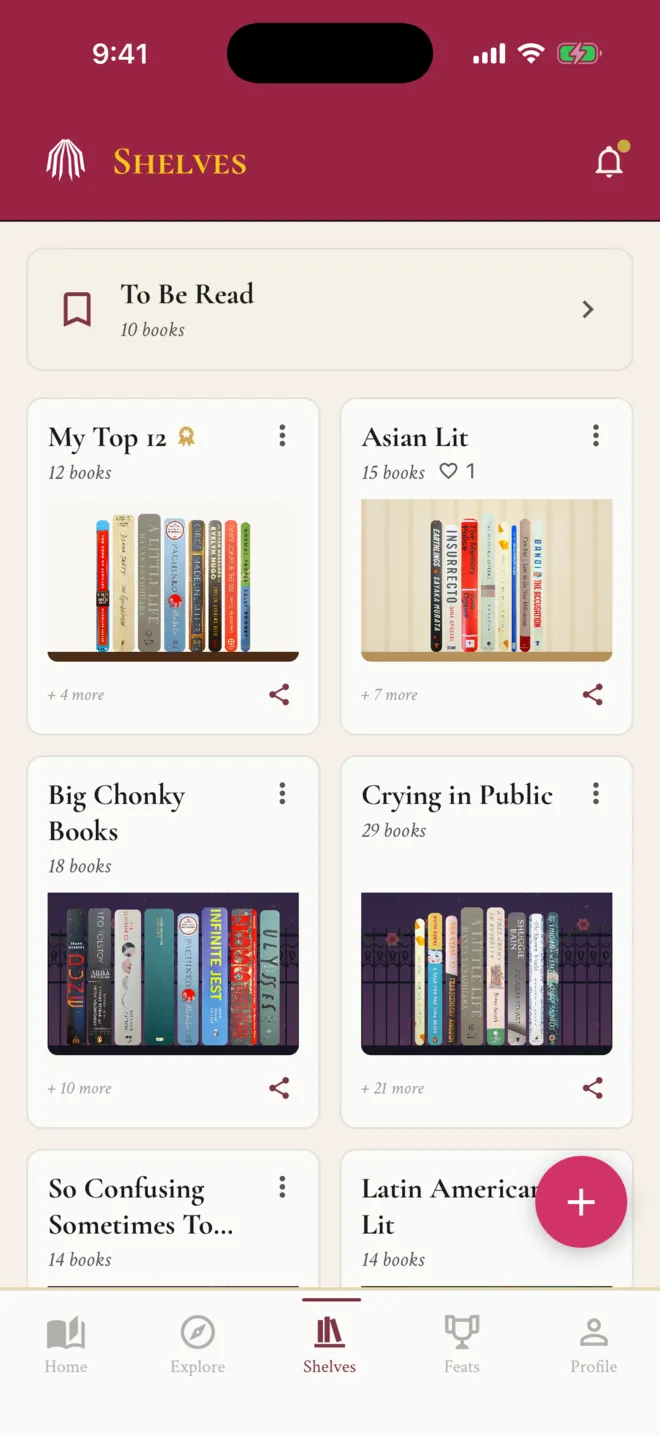
Make as many shelves as you want, with no limit on books. Readers build a shelf for this year's reading, a TBR pile, one series in order, every book by a favorite author, books that match a mood, or books from a trip.
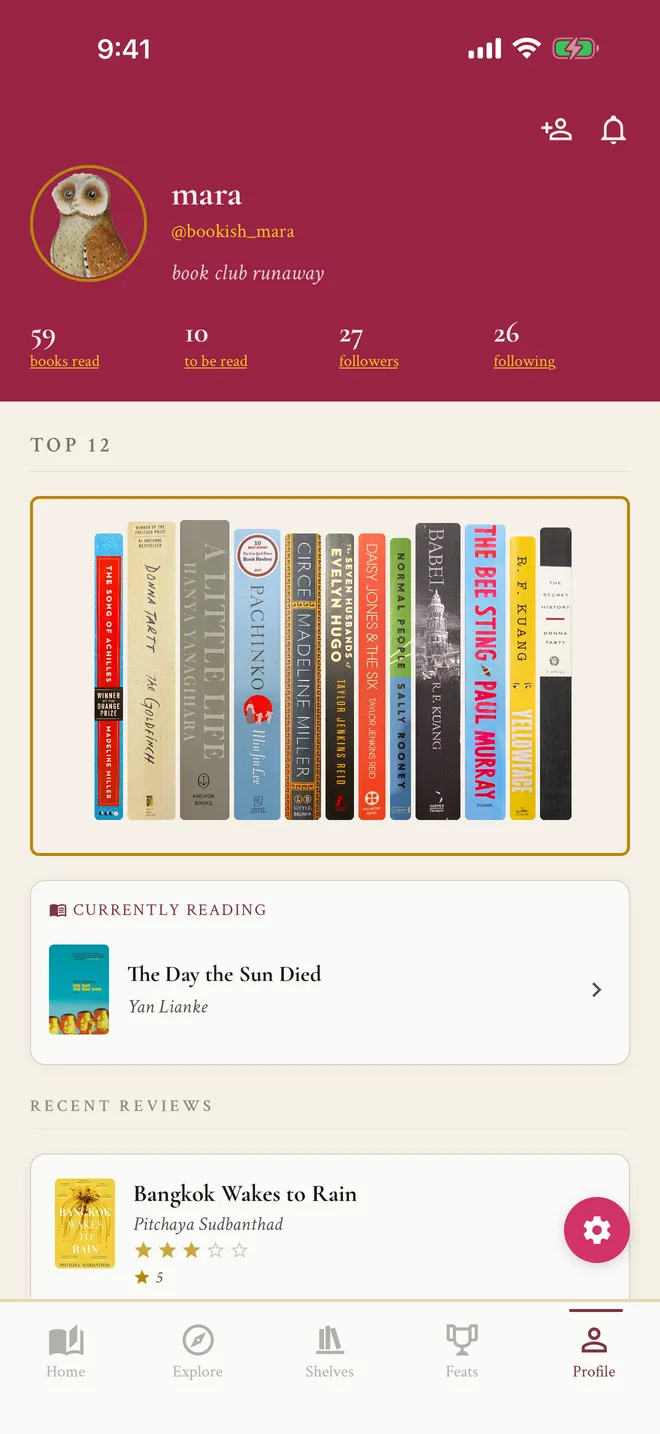
One shelf is special. Your Top 12 holds exactly twelve books, the ones that say the most about you as a reader, and it sits at the top of your profile.
Share your shelf
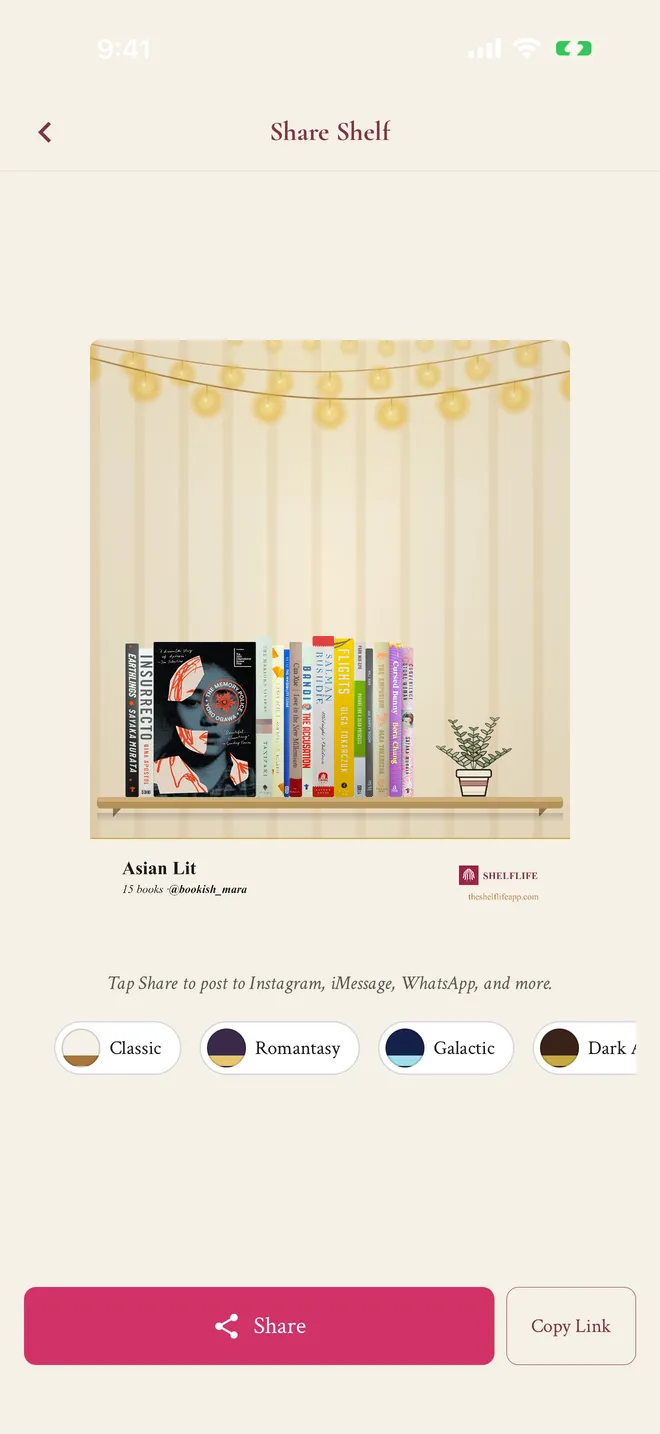
Export any shelf as a 1080 by 1350 image, the portrait size Instagram uses, with the shelf name, the book count, and your handle. You can try other backdrops on the export screen before you post, without changing the shelf itself.
To keep a shelf in view every day, the free home screen widget puts it on your iPhone or Android home screen.
Browse other readers' shelves for ideas
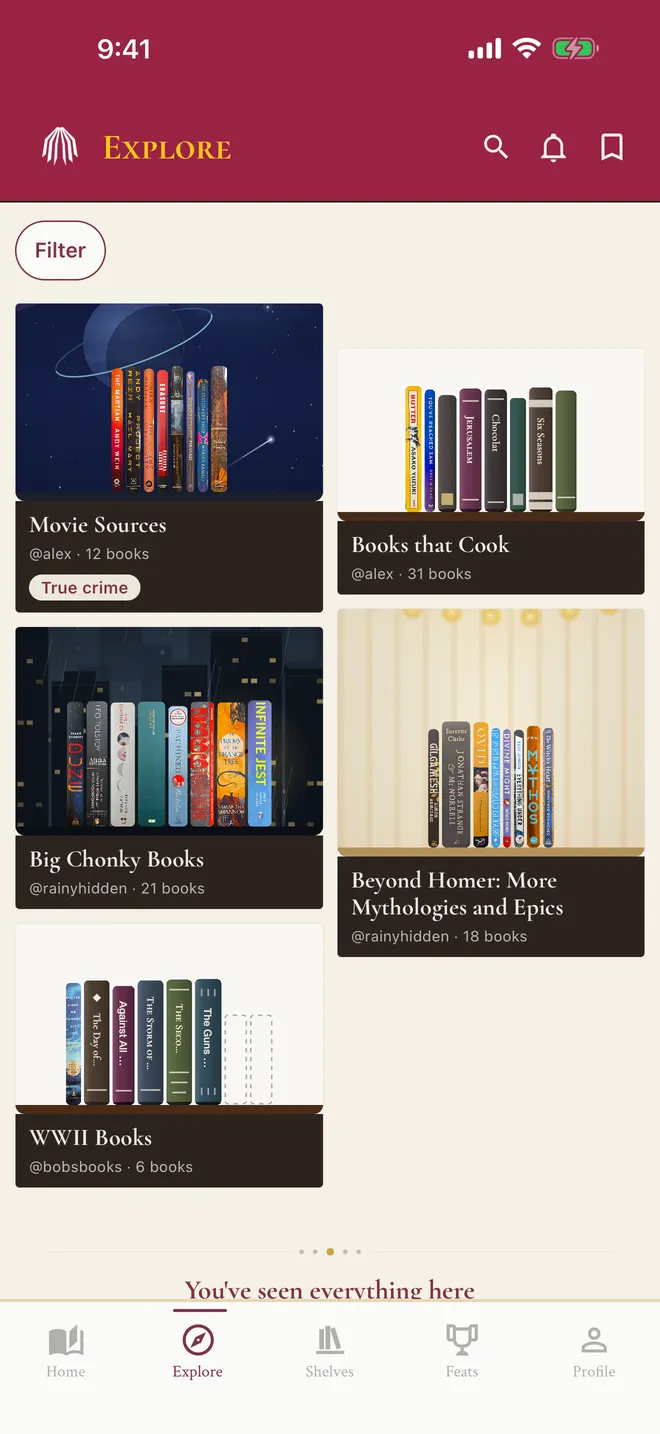
Explore is a gallery of public shelves from other readers. Filter by genre or by the kind of shelf (a TBR, a series, a mood, a book-to-film list), like the ones you love, and save a shelf to come back to when you need your next book. Only public shelves with at least five books show up, and Top 12 shelves never do.
What it isn't
ShelfLife is not a flipbook tool for publishing digital magazines, and it is not a Google Slides classroom template. It is a reading app, so your shelves keep track of what you've read and update as you go. Spine photos are taken in the phone app, not on the website. If you mostly want an argument about why a shelf app should look good, we wrote that up in a book tracking app that looks like a bookshelf.
Questions about virtual bookshelves
How do I make a virtual bookshelf?
In ShelfLife, create a shelf, add books by searching, scanning their barcodes, or importing from Goodreads or The StoryGraph, then tap Arrange to drag them into place. Pick a backdrop, add decor, and export the shelf as an image or make it public. ShelfLife is free on iPhone, Android, and the web.
Is there a free virtual bookshelf app?
Yes. ShelfLife is free with no banner ads, and the standard backdrops and decor are included for everyone. Box Seat, an optional membership where available, adds a new drop each month. You can make as many shelves as you like, with no limit on books per shelf.
How customizable are ShelfLife shelves?
Fully customizable. You choose the name, the order of every book, whether each book stands, faces out, or lies flat in a stack, the backdrop (a built-in scene or your own wall and ledge colors), up to 500 decor objects, and a photo of the spine of your own copy. Each shelf can be public or private.
Can I use my own photos of my book spines?
Yes, on the iPhone and Android apps. Photograph the spine of your copy and it stands on your shelf in place of the default spine. Other readers' spine photos for the same book are available to pick too, including on the website.
Can I make a virtual bookshelf on my computer?
Yes. The ShelfLife website at app.theshelflifeapp.com has the same shelves as the apps, and you can drag books, change the backdrop, add decor, and download the shelf image there. Spine photos are taken in the phone app.
Is this a Google Slides virtual library template?
No. Classroom virtual libraries are usually slide decks with clickable book covers. ShelfLife is a reading app: the shelf keeps track of what you've read, what you're reading, and what you think of it, and it updates as you go.
Can I see other people's virtual bookshelves?
Yes. Explore shows public shelves from other readers, and you can filter by genre or by the kind of shelf, like a TBR, a series, or a mood. Like a shelf or save it to come back to. Top 12 shelves and private accounts are never shown there.
Free, on iPhone, Android, and the web
Build your first shelf tonight.
Start with ten books you can see from where you're sitting.
Download the app