
For your home screen
A book tracker widget that shows your shelf.
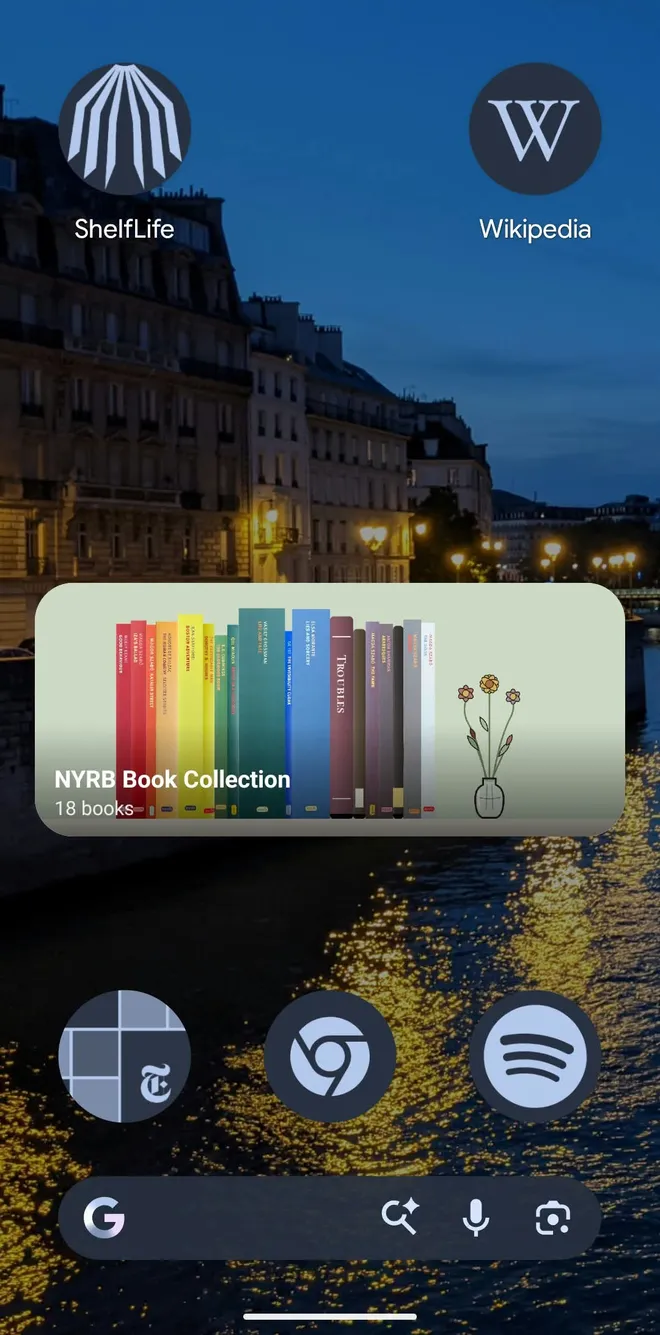
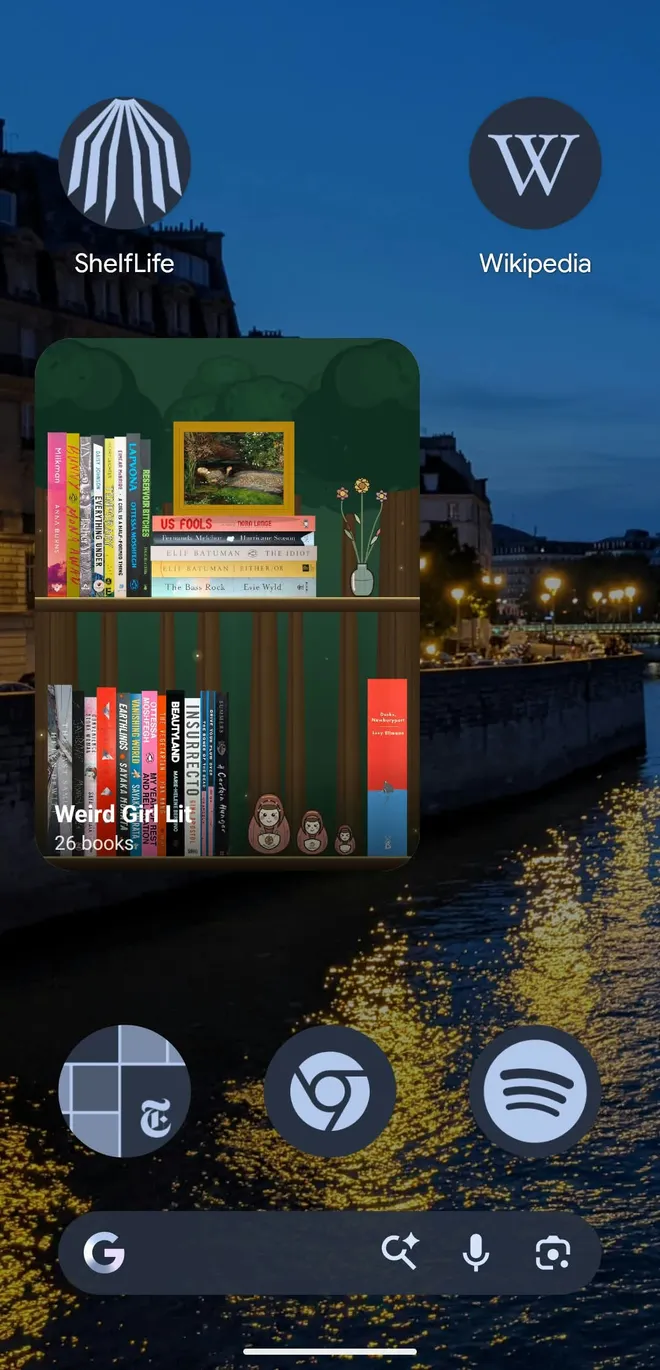
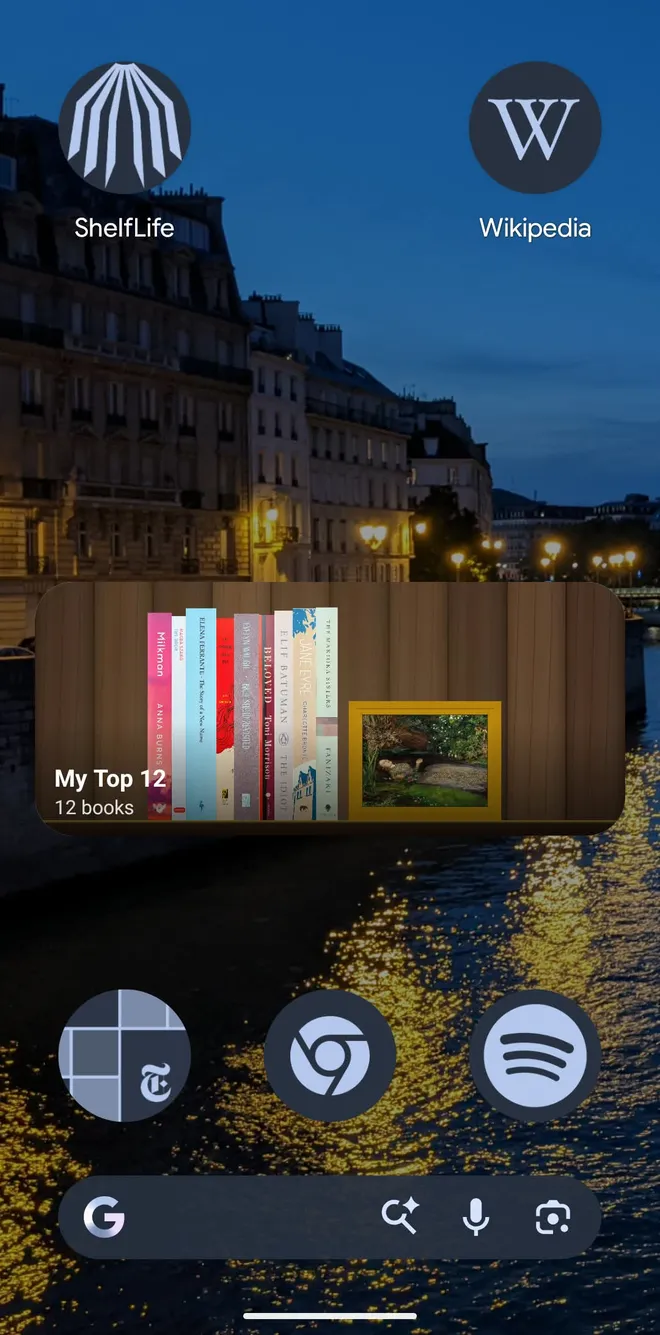
Most reading apps stay inside the app. ShelfLife's widget puts one of your shelves on your iPhone or Android home screen: the spines, the decor, and the backdrop you picked, in the order you left them. Free, like the rest of the app.
Download the appDoes Goodreads or StoryGraph have a widget?
Not as of September 2026. The Goodreads app has no home screen widget on iPhone or Android, and readers have been asking for one in the Goodreads help center since 2021. The workarounds people share are third-party scripts that read a Goodreads RSS feed.
The StoryGraph lists a phone widget as a request on its public roadmap, not as something you can install yet. If either app ships one, we'll update this page.
What the ShelfLife widget shows
Each widget shows one shelf: the books standing on their ledge, any decor objects you tucked between them, and the shelf's backdrop. Medium and large widgets add the shelf's name and how many books are on it. Tap the widget and ShelfLife opens straight to that shelf.
Want your to-be-read pile next to your favorites? Place two widgets and point each at a different shelf.
Sizes on iPhone and Android
- iPhone
- Small, medium, and large, on iOS 17 or later. A large widget shows two rows of books.
- Android
- 2 by 2, 4 by 2, and 4 by 4 in the widget picker, and you can resize any of them. A 4 by 2 shows one row, a 4 by 4 two, and a full-height widget three.
How it stays up to date
The widget shows the shelf as ShelfLife saved it the last time you used the app, and it refreshes when you leave the app. It doesn't check for changes in the background, which spares your battery.
The first time you point a widget at a shelf, it says "Open ShelfLife once to draw this shelf" until you open the app.
What it doesn't do
The ShelfLife widget shows books. It doesn't show reading progress, page counts, streaks, or a quote of the day.
If a stats widget is what you're after on iPhone, Book Tracker: Bookshelf & TBR has widgets for reading statistics and favorite quotes. ShelfLife's widget is for readers who want to see their books every time they unlock their phone.
Questions about book tracker widgets
Does Goodreads have a home screen widget?
No. As of September 2026 the Goodreads app has no native widget for iPhone or Android, and readers have been asking for one in the Goodreads help center since 2021. Third-party workarounds exist, such as scripts that read your Goodreads RSS feed, but nothing official. ShelfLife has a free widget that puts one of your shelves on your home screen, and it can import your Goodreads library.
Does StoryGraph have a widget?
Not as of September 2026. A phone widget is listed as a request on The StoryGraph's public roadmap rather than as a released feature. ShelfLife's widget shows one of your bookshelves on iPhone or Android, and ShelfLife can import a StoryGraph export.
Is there a book tracker widget for Android?
Yes. ShelfLife's widget runs on Android in three sizes, 2 by 2, 4 by 2, and 4 by 4, and you can resize it after placing it. It shows one of your shelves, and a taller widget shows more rows of books.
What does the ShelfLife widget show?
One of your shelves, the way you arranged it: the spines, any decor objects, and the shelf's backdrop. Medium and large widgets also show the shelf's name and book count. Tapping the widget opens that shelf in the app. Add more than one widget to keep several shelves on your home screen.
Can the widget show my reading progress or a reading streak?
No. The ShelfLife widget shows the books on one shelf and nothing else: no page count, progress bar, streak, or quote. If a stats widget is what you want on iPhone, Book Tracker: Bookshelf & TBR offers widgets for reading statistics and favorite quotes.
How do I add the ShelfLife widget?
Install ShelfLife, sign in, and open the app once so your shelves are available to the widget. On iPhone, long-press the home screen, tap Edit, then Add Widget, search for ShelfLife, pick a size, and choose a shelf by editing the widget. On Android, long-press the home screen, open Widgets, find ShelfLife, drag a size onto the screen, and pick a shelf. After choosing a new shelf, open ShelfLife once so the widget can draw it.
Is the widget free?
Yes. ShelfLife is free on iOS, Android, and the web, with no banner ads, and the widget is included.
Free, on iPhone and Android
Build a shelf, then put it on your home screen.
Coming from Goodreads or StoryGraph? Import your library first, so the shelf starts full.
Download the appA book tracking app that looks like a bookshelfSee what is included