
For the books you actually own
A free book scanner app for your home library.
ShelfLife scans the ISBN barcode on the back of a book and adds it to your library in a couple of taps. Then it puts the book on a shelf that looks like a real one. Free on iPhone and Android, with no ads and no cap on how many books you catalog.
Download the appHow scanning a book works
- Tap the scan button in search and point your camera at the barcode on the back cover.
- Your phone buzzes when it reads the ISBN, and the book appears with its cover, title, and author.
- Tap Add to Shelf, pick a shelf, and the scanner is ready for the next book.
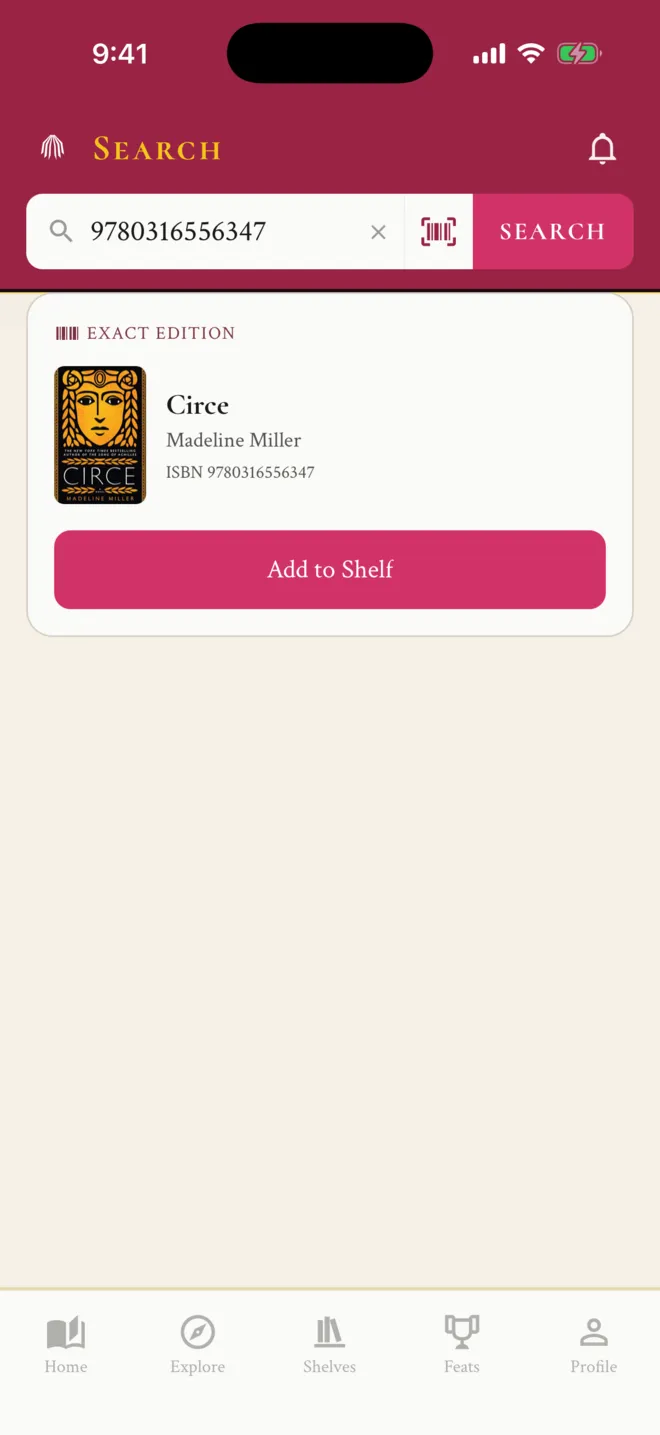
The scanner reads the ISBN barcode (EAN-13) that publishers print on almost every book. A flashlight toggle helps in a dim room. If you would rather type, search for the ISBN and ShelfLife shows that exact edition.
Cataloging a stack of books
The scanner stays open between books. Scan, add, scan the next one. There is no queue to review at the end, so each book lands on its shelf as you go, and you can stop halfway through the stack without losing anything.
If most of your library is already in Goodreads or The StoryGraph, start with an import of your export file, then scan the books that never made it into that app.
When a barcode isn't in the catalog
ShelfLife's catalog is built from Open Library. When a scanned ISBN isn't in it yet, ShelfLife asks Open Library directly and saves the edition it finds. Older books, small presses, and self-published titles sometimes have no record anywhere. The scanner then offers a title search instead.
Photograph the spine of your own copy
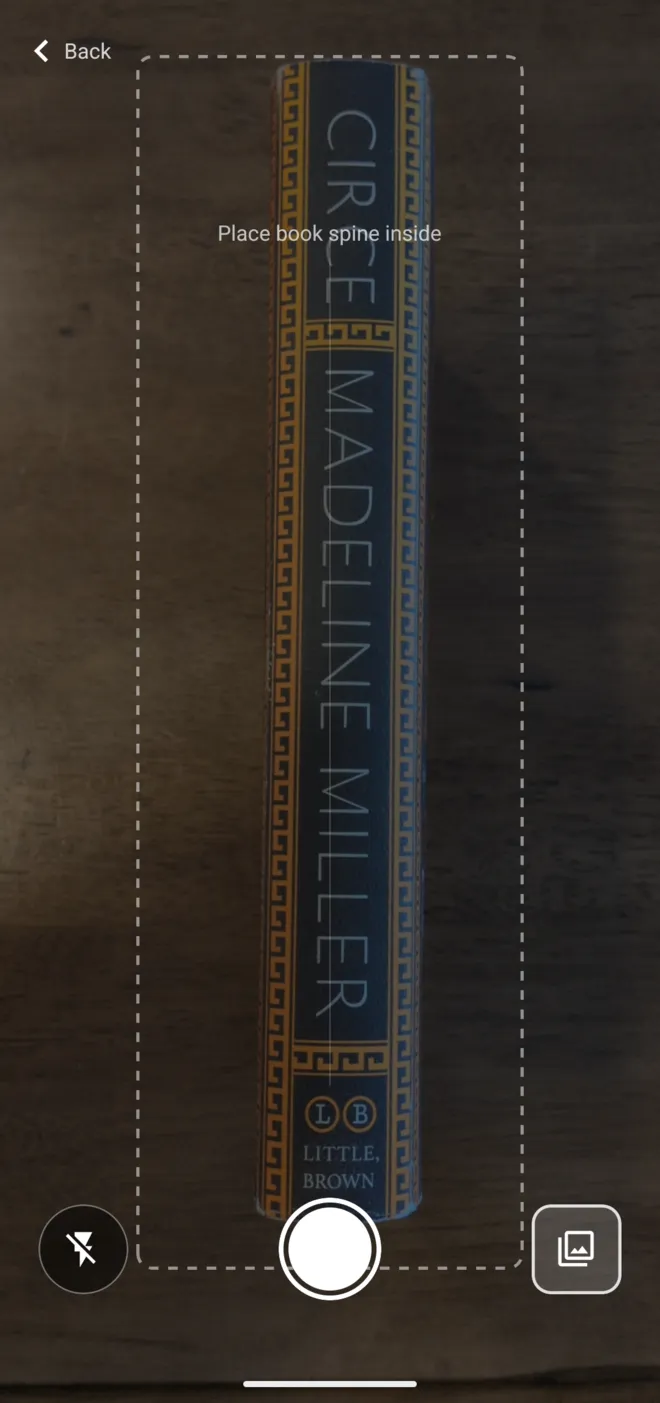
A barcode tells ShelfLife which book you have. The spine photo is what makes your digital shelf look like your real one. After adding a book, take a picture of its spine (or pick one from your photo library), crop it (ShelfLife can find the edges for you), and it is styled to stand on your shelf.
Spine photos are shared with other readers of the same book once they pass a quick review, so the next reader of that book can use yours. To be clear about what it is not: a spine photo does not identify a book, and ShelfLife does not read a whole shelf from one picture.
How other book scanner apps compare
Goodreads and The StoryGraph both have barcode scanners, and both have public threads from readers whose scanner stopped working. The StoryGraph is the stronger choice for reading statistics.
Library catalog apps go deeper on inventory. Libib's free plan holds up to 5,000 items, and LibraryThing supports batch scanning with a handheld scanner. If you want an app to identify every book from one photo of a shelf, look at Spines, Librisync, or Shelf Scan.
ShelfLife is for readers who want the catalog to turn into a bookshelf: spines you arrange, a Top 12, reviews for every reread, and friends to show it to. More on that in how to make a virtual bookshelf.
What the scanner doesn't do
- No barcode scanning on the website. Type the ISBN there instead.
- No batch mode that queues up scans for later review.
- No UPC or price-sticker barcodes, only the ISBN barcode.
- No recognizing books from a photo of their spines.
Questions about scanning books
Is there a free app to scan books into my home library?
Yes. ShelfLife is a free book tracking app for iPhone and Android with a built-in barcode scanner. Point your camera at the barcode on the back cover and the book comes up with its cover, title, and author, ready to add to one of your shelves. There are no banner ads and no limit on how many books you add.
Can I scan ISBN barcodes on Android?
Yes. ShelfLife's barcode scanner works the same way on Android and iPhone. It reads the ISBN barcode printed on the back cover of most books.
Can I scan a whole stack of books at once?
Not in one photo. ShelfLife scans one barcode at a time, but the scanner stays open: add a book, and it is ready for the next one right away.
Does ShelfLife recognize books from a photo of their spines?
No. ShelfLife's spine photo is for looks: after you add a book, you can photograph the spine of your own copy so your digital shelf shows your real edition. It does not identify the book. If you want an app to read a whole shelf from one photo, Spines, Librisync, and Shelf Scan are built for that.
What if the barcode isn't found?
ShelfLife checks its catalog first, then looks the ISBN up on Open Library and saves what it finds. If neither has the book, the scanner offers to search by title instead.
Can I type an ISBN instead of scanning?
Yes. Type or paste a 10 or 13 digit ISBN into search on the app or the website and ShelfLife shows that exact edition. The website has no camera scanner, so typing is the way on a computer.
The Goodreads or StoryGraph scanner isn't working. What else can I use?
Scanner problems come up regularly in the Goodreads help forums and on The StoryGraph's bug board. ShelfLife's scanner is free and can sit alongside either app. To move your library over, import a Goodreads or StoryGraph export file and scan only the books that aren't in it.
Free, on iPhone, Android, and the web
Scan the book closest to you.
Install ShelfLife, tap scan, and see your first book standing on a shelf in under a minute.
Download the app