
At the end of every month
A monthly reading wrap-up, without the template.
Month in Books takes the books you finished this month and lays them out on a card ready for Instagram. You choose the favorite and the look. ShelfLife fills in the rest. Free on iPhone, Android, and the web.
Download the appHow to make your monthly wrap-up
- Mark books finished as you read them during the month.
- From the last three days of the month, open the Month in Books card on your Home screen.
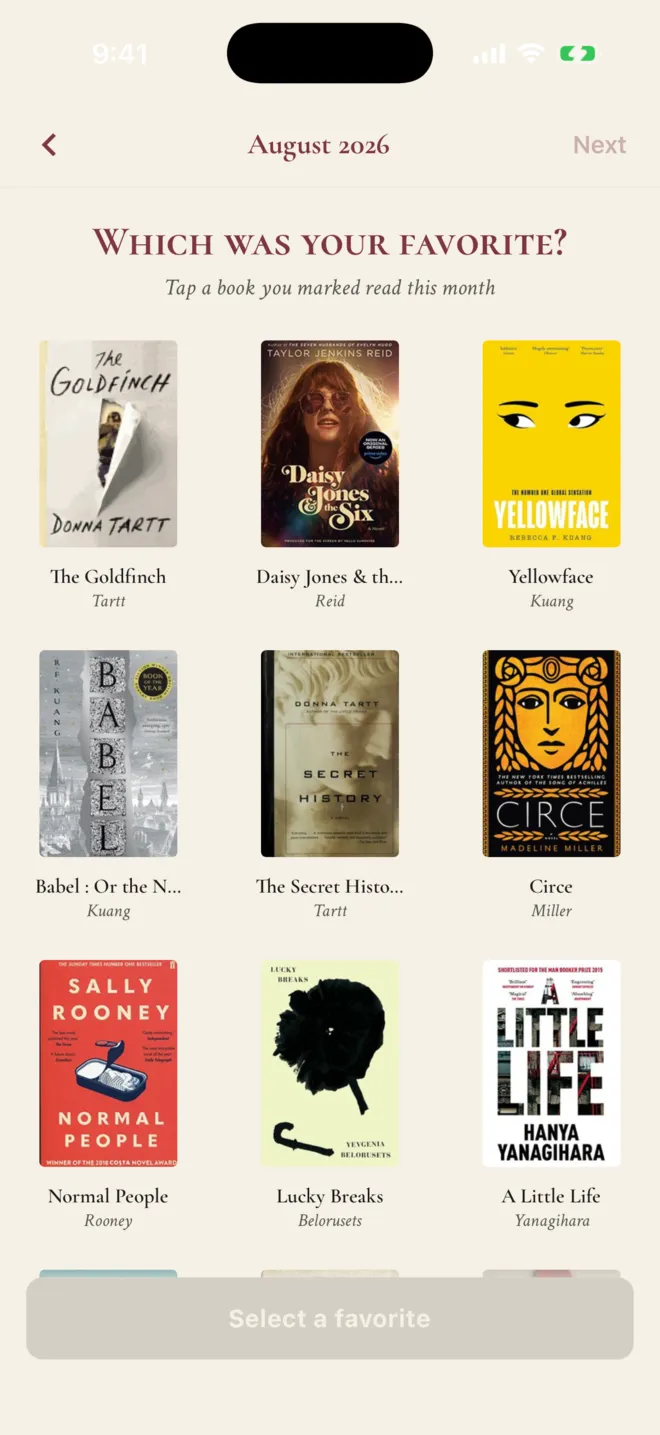
- Crown one favorite. Only you choose it, and the card waits until you do.
- Pick a layout and a palette, then tap Share, Save image, or Post to ShelfLife.
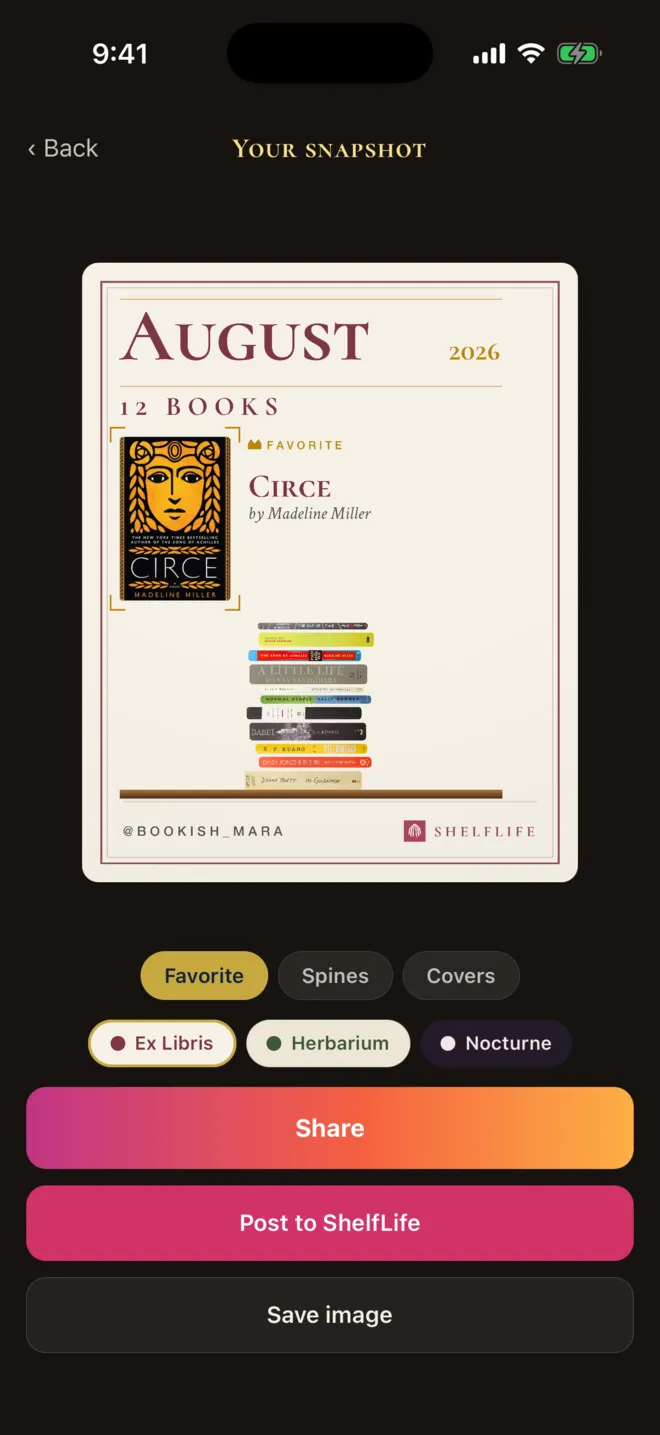
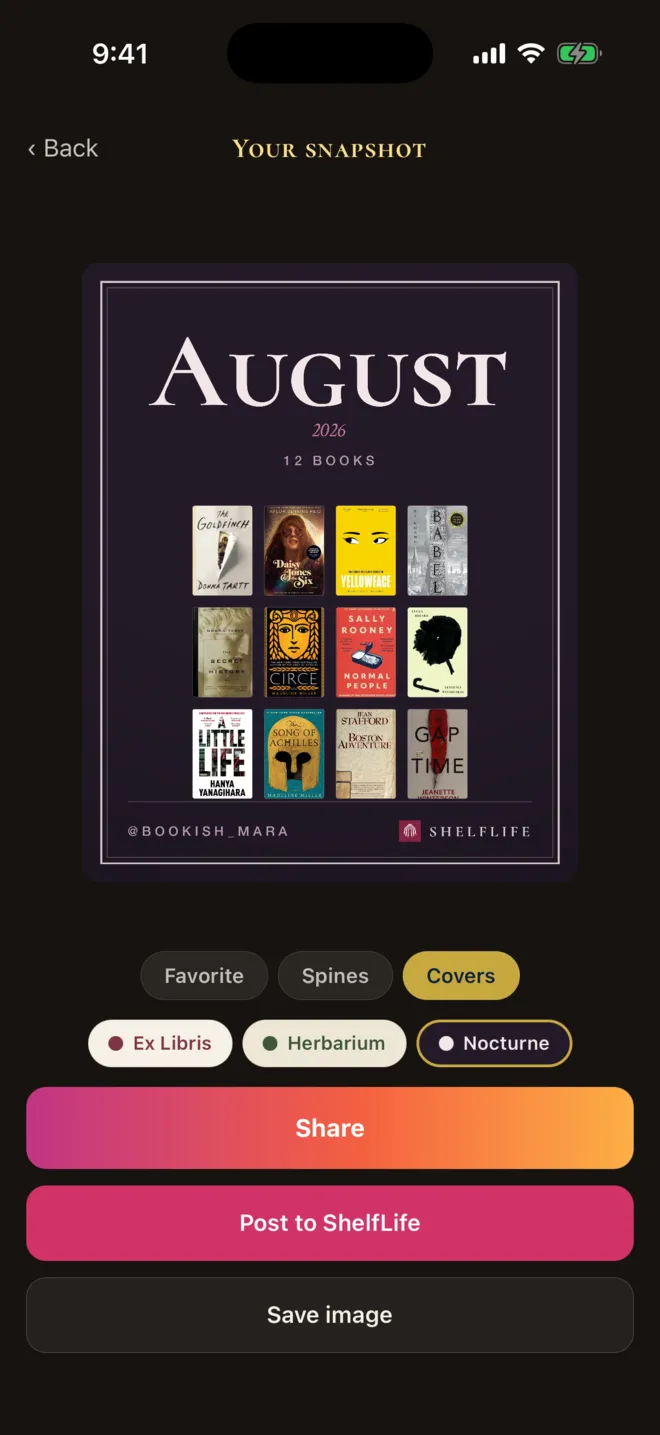
Three layouts, three palettes
- Favorite puts your crowned book up front with the rest of the month beside it.
- Spines piles the month's books by their spines, and uses photos of your own copies when you have taken them.
- Covers shows up to 12 covers in a grid, with a "+ more" count after that.
Each layout comes in Ex Libris, Herbarium, or Nocturne. Every card is 1080 by 1350 pixels, the 4:5 portrait size Instagram uses for feed posts, with the month, the book count, and your handle.
Why a card every month instead of once a year
Year-end recaps come once and cover a whole year of reading. A monthly wrap-up is smaller and more personal: the four books you read in February, and the one you'd hand to a friend.
Month in Books is only open for about ten days around the turn of each month. That keeps it a small occasion, and it gives your followers a reason to look for your post.
How other reading apps do monthly wrap-ups
The StoryGraph has monthly wrap-ups on each month's stats page, with pages, genres, moods, and ratings. Custom time periods are part of its paid Plus plan. Fable shows a monthly Reading Wrap on your profile until the fifth of the next month. Goodreads' Year in Books is yearly only.
ShelfLife's wrap-up is lighter on numbers and heavier on the books themselves: the covers, your own spines, and the favorite you chose. If you track your reading as a set of goals, the reading challenge app page covers ShelfLife's Feats.
What it leaves out
- No recaps for earlier months. Each wrap-up is only available in its own window.
- No page totals, average ratings, reading time, or genre charts on the card.
- No posting to the ShelfLife feed from the website, only from the phone app.
- No reminder notification. Look for the card on your Home screen.
Questions about monthly reading wrap-ups
Is there an app that makes a monthly reading wrap-up for you?
Yes. ShelfLife's Month in Books builds a wrap-up card from the books you marked finished that month. You crown one favorite, pick a layout and a color palette, and share or save a 1080 by 1350 image sized for Instagram. It is free on iPhone, Android, and the web.
Do I need a Canva template for my monthly wrap-up?
Not with ShelfLife. The covers, titles, book count, and your handle are filled in from what you logged, so there is nothing to type or line up. If you like designing each post by hand, a template still gives you more control over fonts and layout.
When can I make my Month in Books?
From the last three days of a month through the seventh day of the next month. In that window a Month in Books card appears on your Home screen. The recap covers the month that is ending, and it disappears after the seventh so it stays an occasion rather than a dashboard.
Which books show up in the wrap-up?
Every book you marked finished with a finish date in that month. If you reread a book twice in one month, it appears once. Books you started but didn't finish are left out.
What does the card look like?
Choose from three layouts: Favorite puts your crowned book up front, Spines stacks the month's books in piles using your own spine photos when you have them, and Covers shows up to 12 covers in a grid. Each comes in three palettes: Ex Libris, Herbarium, and Nocturne. The card shows the month, the number of books, and your handle.
Does the wrap-up include pages read or average rating?
No. The card shows the books, your favorite, and the count, and nothing else. If you want detailed monthly statistics like pages, moods, and genres, The StoryGraph's wrap-ups go further.
Can my followers see my Month in Books?
If you want them to. In the phone app, Post to ShelfLife puts your card in your followers' home feeds, and posting again updates the same card instead of adding a second one. On the website you can make, share, and download the card, but not post it to the feed.
Free, on iPhone, Android, and the web
Log this month's books now.
Mark the books you finish as you go. Your wrap-up opens in the last three days of the month.
Download the app