
Book Signal, in the ShelfLife app
Book Signal: describe the feeling, and readers name the book.
You know how you want your next book to feel. You just don't know what it's called. Send up a Book Signal, describe it in your own words, and readers who share your taste answer with the books they'd hand you and a note on why. Free on iPhone, Android, and the web.
Get ShelfLife freeHow to send a Book Signal
- Open the Signal tab in ShelfLife.
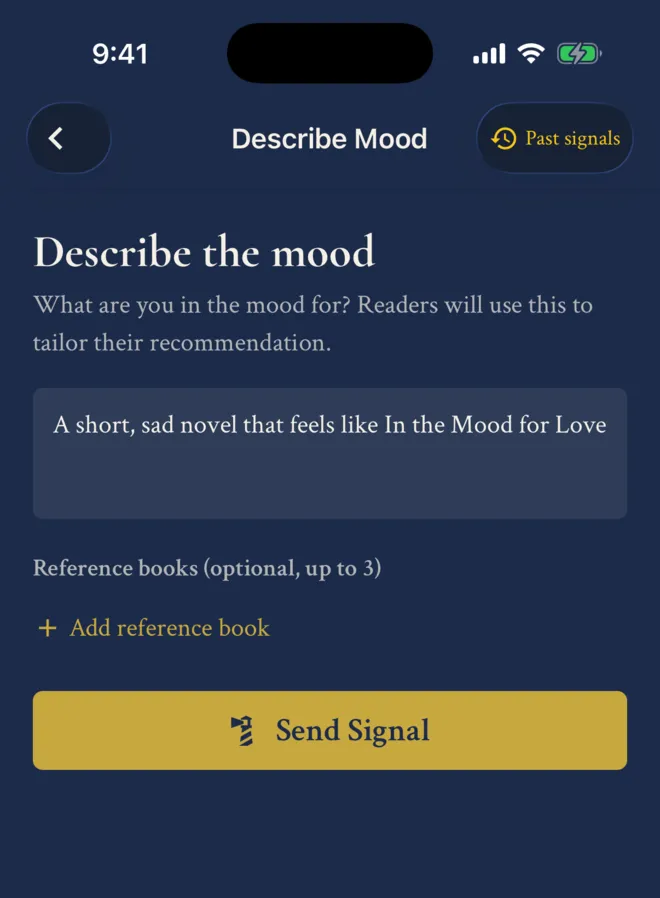
- Describe the mood in up to 200 characters: "a short, sad novel that feels like In the Mood for Love," or "dark academia, but make it funny." Add up to three books you loved as reference points. Or skip the words, send a whole shelf, and ask for more like it.
- Send it. The signal stays open for seven days, and every answer arrives as a notification.
What comes back
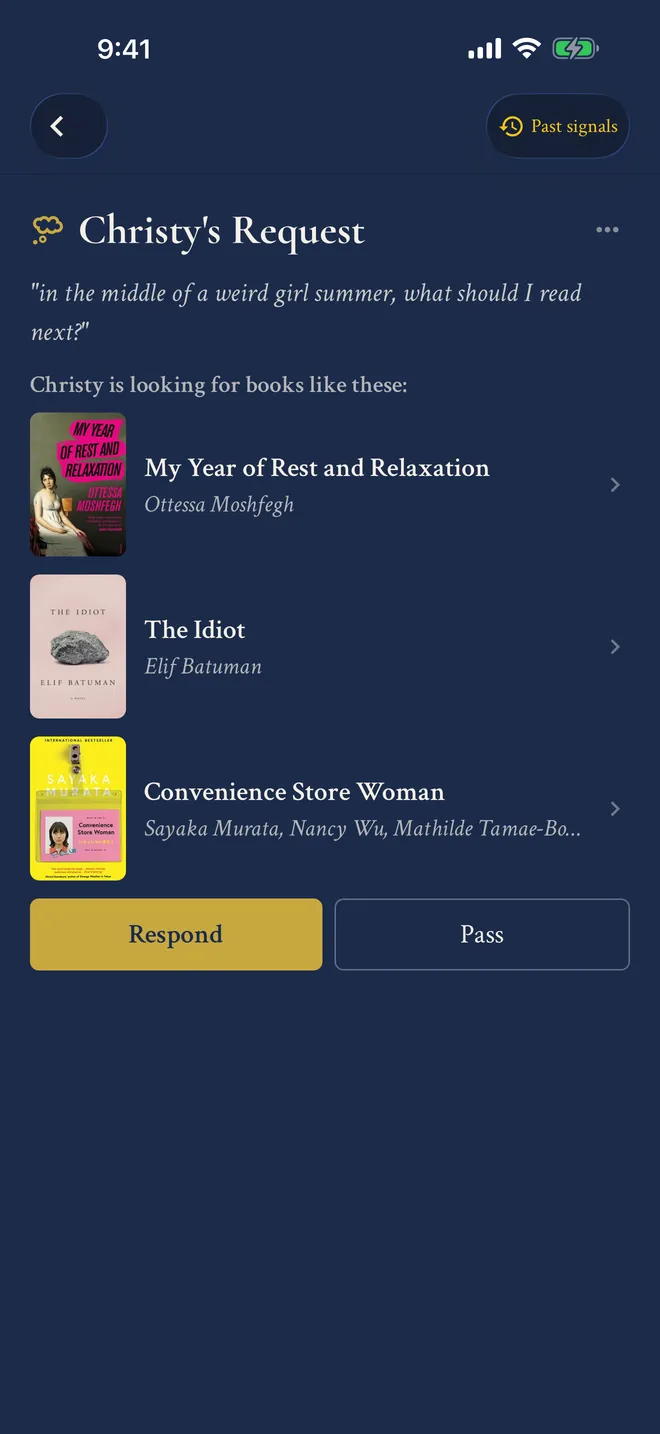
Each reader who answers picks one to five books and adds a note on why they fit, because a title with a reason beats a title. Tap any book to open it or put it on a shelf, and when a pick lands, thank the reader who found it for you.
In late September 2026, 9 in 10 Book Signals got answers, five to six apiece on average and as many as 11.
Your signal goes to your followers and to readers whose ratings overlap yours, so you hear from people with taste like yours, not only the friends you already have. Software decides who sees a signal. People decide what to recommend.
"…best of all I've received awesome book suggestions with the app's signal feature! I otherwise wouldn't have considered the suggestions if I relied on recommendation algorithms alone."
More on book recommendations
How asking readers compares to Goodreads and StoryGraph recommendations, and to posting on r/suggestmeabook, is in a book recommendation app where readers answer. For the rest of the social side of ShelfLife, see a book tracking app to use with your friends.
Questions about Book Signal
What is Book Signal?
Book Signal is a feature in ShelfLife, the free book tracking app, for asking other readers what to read next. You describe the book you want in your own words, or send one of your shelves, and readers answer with one to five books each and a note about why they fit.
Is Book Signal a separate app?
No. Book Signal is part of ShelfLife, so there is nothing extra to download. Install ShelfLife on iPhone or Android and open the Signal tab, or use it on the web. It is free.
Who answers a Book Signal?
Your followers, plus other ShelfLife readers, including readers whose ratings line up with yours and with any books you attached. ShelfLife's software decides who sees your request, but the books in every answer are chosen by a person.
How many answers will I get?
Usually several. In late September 2026, 9 in 10 Book Signals got answers, five to six apiece on average and as many as 11. Each answer can hold up to five books, so one signal can bring back a small stack.
Do I have to chat with strangers?
No. Book Signal isn't a chat, and ShelfLife has no direct messages. You send a request, answers arrive over the week, and you read them whenever you like. Your name is on the request, the way it would be if you asked in person.
Is Book Signal free?
Yes. Book Signal is free for every ShelfLife reader, on iPhone, Android, and the web, with no limit on how many signals you answer.
How long does a Book Signal stay open?
Seven days. You get a notification for each answer, you can close the signal early, and you can have one open at a time.
Can I answer other people's signals?
Yes. Signals from other readers show up in your home feed, ready to answer. Pick up to five books, add a note, and the reader who asked gets a notification.
Free, on iPhone, Android, and the web
Send your first Book Signal.
Somewhere out there, a reader already knows the title. Ask them.
Get ShelfLife free